
I Used a Multipurpose Theme, Then Spent Weeks Preventing It From Becoming a Mess
Multipurpose themes are useful in the same way a Swiss Army knife is useful: you can do a lot with them, but you can also end up doing too much. The first version of this site went live quickly and looked fine. And then, over a month, it became harder to edit than it should have been.
Not because anything “broke,” but because everything started to drift.
A hero section gained one extra font size. A services page got a different spacing rhythm. A blog post template started using a slightly different heading hierarchy. A landing page needed its own special layout “just once,” and then that “just once” became a habit.
This is the hidden cost of a multipurpose setup: it makes it easy to publish, and it makes it easy to lose control.
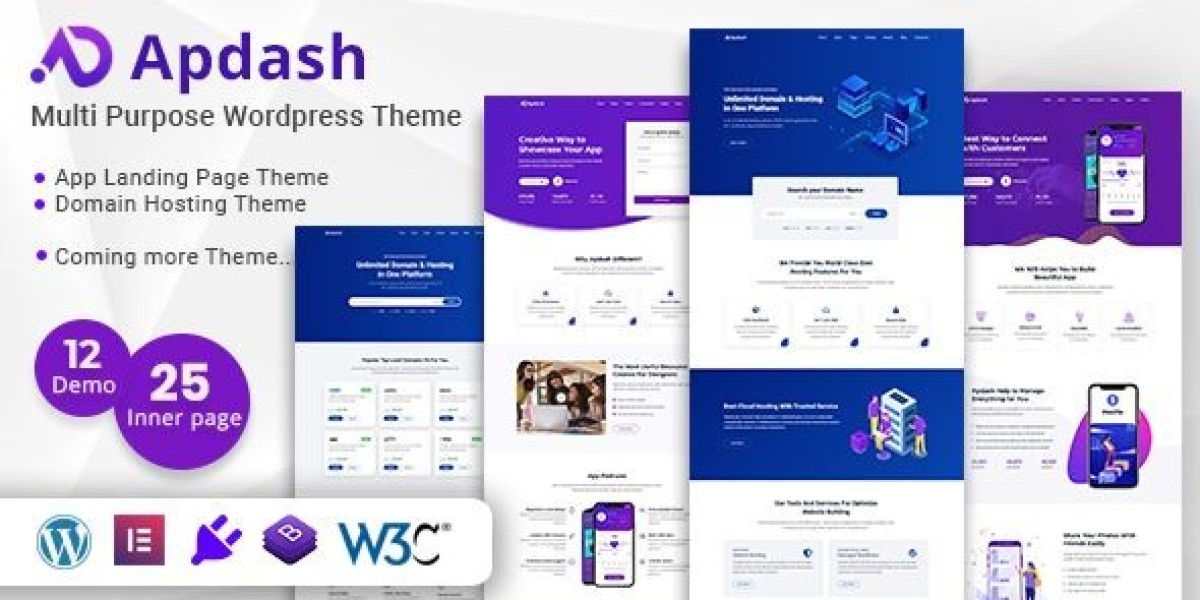
I used Apdash – Multi-Purpose WordPress Theme as the baseline. I’m not going to list features or pitch it. I’m going to describe how I kept it coherent in production, what I changed after launch, and what I learned about keeping a “multipurpose” site from becoming a patchwork.
For context: I’m writing as the person who has to maintain the site, keep performance stable, and keep content publishable without re-designing every page.
The initial trigger: the site looked consistent, but behaved inconsistent
The first week after launch, everything felt okay. The second week, I started noticing patterns:
Pages didn’t “feel related” even when they used the same colors.
Editing one page made me hesitate because I wasn’t sure which spacing rules applied.
Mobile pages felt like long scrolls without anchors.
Visitors were navigating oddly: landing on a page, bouncing, then coming back through the homepage, then leaving again.
When I see that behavior, I assume one of two things:
the content isn’t matching intent, or
the site structure isn’t routing people properly
With multipurpose themes, it’s often both, because the theme gives you many layout paths and you accidentally use more than one for the same purpose.
So I approached the rebuild as a structure problem, not a design problem.
What I mean by “multipurpose drift”
I’m going to define it because it’s the main enemy of these projects:
Multipurpose drift is when your site gradually accumulates multiple layout languages—different spacing, headings, section rhythms, and CTA patterns—until the site feels inconsistent even if it’s “nice.”
It happens because:
page builders make one-off changes easy
templates encourage experimentation
stakeholders request small differences
new pages copy old pages with tweaks
you never formalize guardrails
The fix is not “be more careful.”
The fix is: create a small system and enforce it.
My baseline theme selection logic (and why I avoid impressive demos)
When I browse options under WordPress Themes, the “impressive” demos usually have the same problem: they are built as marketing theater, not as a maintainable system.
I choose multipurpose themes using operational questions:
Can I define global typography and rely on it?
Can I standardize section spacing without fighting the theme?
Can I build three page types (home / landing / blog) that still feel like one site?
Can non-technical editing happen without creating design drift?
Do mobile pages hold a stable reading rhythm?
Apdash was workable because it didn’t force me into a single gimmick layout style. The challenge was not “can it do it.” The challenge was “can I prevent it from doing too many things.”
Phase 1: I turned the homepage into a router instead of a showcase
Most multipurpose homepages try to demonstrate capability: a section for everything. That creates a site that feels like a brochure, not a system.
I rebuilt the homepage with one purpose:
Route visitors to the right next page in under 10 seconds.
I treated visitors like three groups:
Group A: “I know what I’m looking for”
They need:
clear navigation
fast scanning
quick confirmation they’re in the right place
Group B: “I’m evaluating”
They need:
a calm explanation of scope
a sense of process
proof of coherence (not hype)
Group C: “I’m comparing internally”
These are visitors who need to show the site to a manager or team. They want:
structure
clarity
easy-to-share pages that explain themselves
So I removed “extra” homepage blocks and replaced them with:
a short first screen that states what the site is and who it’s for
a clear set of primary routes (three or four)
a small “proof of coherence” section (process steps, not testimonials)
a short “next action” section that doesn’t shout
This reduced bounce because visitors didn’t have to guess what the site was.
A misconception I corrected: multipurpose sites need many sections to look credible
They don’t. They need a clear structure to feel credible.
Credibility, for admin audiences, often comes from:
consistent vocabulary
consistent layout rhythm
predictable navigation
non-emotional language
stable mobile experience
So I biased toward restraint.
Phase 2: I standardized page types, then stopped improvising
The most important move in a multipurpose rebuild is to define page types.
I defined four page types:
Homepage (router)
Core pages (About, Services/Offering, Contact)
Landing pages (campaign or specific intent)
Blog posts (education / updates / logs)
Each page type got rules.
Example: Core page rules
intro block is always one short paragraph + one subheading
sections never exceed a certain width
headings follow a strict hierarchy
every page includes a “next step” block with consistent placement
Example: Landing page rules
one intent per page
one primary route forward
remove unrelated navigation distractions if necessary
keep the page short, focused, and structured
Example: Blog rules
consistent H2 rhythm
short paragraphs
one content width
no random “marketing blocks” injected into posts
Once these rules were defined, publishing became easier because it stopped being creative every time.
Why this matters: visitors sense inconsistency faster than you think
Even non-designers notice when pages behave differently. They may not describe it as “spacing mismatch,” but they feel it as uncertainty.
Uncertainty reduces action. It also reduces trust.
Phase 3: I rebuilt internal linking as “paths,” not menus
A menu is not a path. A path is a sequence.
Multipurpose sites often rely on navigation menus too heavily. But visitors don’t always use menus. They scroll, click, and bounce.
So I created internal paths:
homepage → core page → contact/next step
blog post → related core page → next step
landing page → one controlled next action
I wrote “next step” blocks that are consistent but not salesy. They explain what happens next, not why you should do it.
User behavior observation: “Where am I?” is the silent bounce reason
Visitors bounce when they can’t orient:
Is this a service page or a blog post?
Is this a general page or specific page?
Is this a company site or a personal portfolio?
Multipurpose themes make it easy to mix these cues. So I used consistent page headers and consistent content widths to signal page type.
Phase 4: I solved the biggest long-term problem: editing safety
If you want a multipurpose site to survive, it must be safe to edit.
Editing safety means:
non-technical edits don’t break layout
adding a section doesn’t invent a new design language
page builder changes don’t introduce drift
I achieved that through:
1) Global typography and spacing
I defined a small typography scale and used it everywhere.
No custom font sizes per section unless there was a strong reason.
2) Reusable section patterns
Instead of designing sections from scratch, I created a few “patterns”:
intro + routes
two-column explanation
step-by-step process
FAQ-style misconception correction
“next step” block
Patterns are boring. That’s why they work.
3) Guardrails for Elementor edits
I wrote rules like:
don’t change padding locally; use the global spacing
don’t add new button styles
don’t introduce new heading sizes
don’t use random icon sets
don’t add animations unless necessary for comprehension
These rules prevented drift without constant policing.
Common misconception: “multipurpose means each page should feel unique”
Unique pages don’t create trust. Cohesive pages do.
Visitors can handle variety in content, not variety in layout language.
Phase 5: I fixed mobile reading flow as a priority, not an afterthought
Multipurpose themes are often tested on desktop demos. But the site lives on mobile.
I rebuilt mobile flow with these principles:
the first screen must orient fast
sections must be visually separable without heavy decoration
headings must be short and meaningful
long paragraphs must be broken up
CTAs must not appear randomly
I avoided “floating widgets” that interrupt reading. They can increase conversions in some niches, but for admin-facing content, they often reduce trust.
A subtle fix: I reduced scroll fatigue by creating anchors
I added headings that act like anchors:
“What this is”
“Who it’s for”
“How it works”
“What happens next”
Not as marketing, but as a reading map.
When pages have a map, visitors feel less tired.
Post-launch (the part most people skip): what drift looked like after 3–4 weeks
After about a month, drift began again in small ways:
someone added a new section with a slightly different button style
a blog post used a different heading spacing
a landing page used a different content width
images started varying in ratio
This is why multipurpose sites fail over time: drift is not a one-time event.
So I implemented a maintenance routine.
The maintenance routine that kept Apdash coherent
Weekly (15–20 minutes)
check the last few published pages
scan for drift (spacing, headings, button styles)
fix one thing immediately
keep a short “style debt” note
Monthly (60 minutes)
audit core pages for consistency
check mobile layout stability
ensure the homepage routing still matches current priorities
remove sections that no longer serve routing
Quarterly (2–3 hours)
full site coherence audit
consolidate one-off patterns into reusable ones
remove legacy sections that don’t match the system
re-check performance and layout stability
This sounds like work, but it saves far more work later.
Part 2: Where multipurpose sites actually fail — content becomes generic, not “too short”
After Part 1, the site was structurally calmer. But there’s another problem that shows up once a multipurpose site is coherent: the content starts to sound like a template.
It’s not because the writer is lazy. It’s because multipurpose sites often serve multiple audiences, and the safest writing style becomes vague. Vague writing avoids being wrong, but it also fails to be useful.
So I treated content the same way I treated layout: as a system with guardrails.
I didn’t try to “sound creative.” I tried to sound like a site that’s run by people who know what they do, with boundaries.
Phase 6: I wrote content like internal documentation, then softened it slightly
My first drafts were too blunt. They read like internal SOPs. But they were effective at one thing: they clarified scope and process.
So I used a hybrid approach:
write a paragraph like internal documentation
remove jargon
add one sentence of context
keep the structure
The goal was to avoid marketing tone without becoming cold.
Example of what I removed
I removed phrases that usually signal marketing:
“we deliver”
“we provide innovative solutions”
“we are passionate”
“we help you grow”
“tailored to your needs”
Not because they’re evil, but because they don’t convey operational reality. They could describe any site.
What I replaced them with
I replaced them with:
process steps
constraints
boundaries
what people should prepare before contacting
what happens after they submit a request
These details make a site feel real.
A misconception I corrected: “Multipurpose sites should be broad and inclusive”
Broad and inclusive content often creates low-quality inquiries.
People contact you with incomplete context because your site didn’t guide them. You spend time extracting basic information. That’s operational cost.
So I wrote “fit guidance” across pages:
who this is for
what information is needed
what to expect after contact
what’s out of scope
Fit guidance is not a sales technique. It’s a workload filter.
Phase 7: I added misconception corrections in-page, not as a FAQ
FAQ pages are where good intentions go to disappear.
So I added misconception corrections where people hesitate:
on core pages, under the intro
on contact pages, above the form
on landing pages, near the decision point
I kept each correction short—two or three sentences.
The misconception corrections that mattered most
Misconception 1: “Contacting us means immediate work starts.”
I wrote that initial contact is for evaluation and alignment, not automatic execution.
Misconception 2: “A brief message is enough.”
I wrote what minimum info is needed: scope, timeline, constraints.
Misconception 3: “The fastest response is always best.”
I wrote that response speed is less useful than a structured first reply that confirms fit.
This reduced vague inquiries and increased useful first messages.
Phase 8: I designed landing pages that don’t feel like ads
Multipurpose sites often create landing pages that look like sales pages. That makes sense for conversion, but it also can reduce trust in admin-facing contexts.
So my landing page rules were:
one intent per page
minimal persuasion language
focus on “why this page exists” and “what happens next”
no inflated promises
stable structure and predictable headings
Landing pages were treated like routing documents, not brochures.
How I structured a landing page without marketing tone
Context: why this exists (two sentences)
Scope: what it covers and what it does not
Process: what happens if you proceed
Preparation: what you should have ready
Next step: one calm action
No hype. No “best.”
This worked because visitors didn’t feel like they were being pushed. They felt guided.
User behavior observation: many visitors are “delegates,” not decision-makers
A large portion of visitors are not buying. They’re collecting information for someone else.
They need:
clarity
scope
a process summary they can copy/paste
confidence that the site is stable and coherent
This is why “marketing landing pages” often fail in B2B contexts. They don’t help delegates do their job.
So I wrote pages that are easy to share.
Phase 9: I used a decision logic when adding new pages (to avoid page explosion)
Multipurpose sites become bloated because it’s easy to create new pages for every idea.
I used a decision logic:
Decision logic: should this be a new page?
Create a new page only if:
it serves a distinct intent that existing pages can’t handle
it will be maintained (updated at least quarterly)
it can follow an existing page pattern
it reduces confusion or support load
If it doesn’t meet these, it becomes:
a section inside an existing page, or
a blog post, or
a short internal note
This prevented the site from becoming a maze.
A subtle but important technique: “page responsibility”
I gave each page a “responsibility”:
homepage: route
about: clarify operating style
services: define scope and process
contact: set expectations and collect minimum info
blog: reduce future support load and clarify decisions
When a page doesn’t have responsibility, it becomes fluff. Multipurpose themes encourage fluff because they provide many layouts. I treated layouts as tools, not a goal.
Phase 10: I treated stability as part of “content trust”
Even when design and text are good, content trust collapses if the site behaves poorly:
layout shift
slow load
inconsistent spacing
broken internal coherence
weird mobile interactions
So I built a “stability checklist” tied to publishing:
Publishing checklist (the version I actually follow)
check mobile first screen for orientation
check headings hierarchy (H1 then H2, no jumps)
check spacing consistency
check buttons and links are in the expected style
check images ratio and alignment
check page doesn’t introduce new colors/fonts
This is boring, but it prevents drift.
Post-launch: what improved that I consider meaningful
After these content changes, the most meaningful improvements were:
first messages from visitors included more context
fewer “what do you do?” type questions
fewer wrong-fit inquiries
fewer internal debates about “how should we explain this?” because pages had patterns
In other words: the site became easier to run.